Maximum Activation Count Exceeded
By default you can automatically activate any newly ordered full licence or upgrade twice. Follow the steps below if you have exceeded this limit.

Maximum Activation Count Exceeded
By default you can automatically activate any newly ordered full licence or upgrade twice. If you attempt this a third time a message box similar to the one shown here will appear.
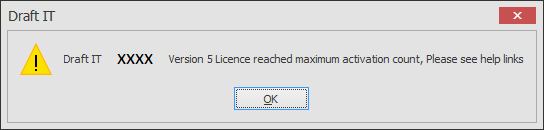
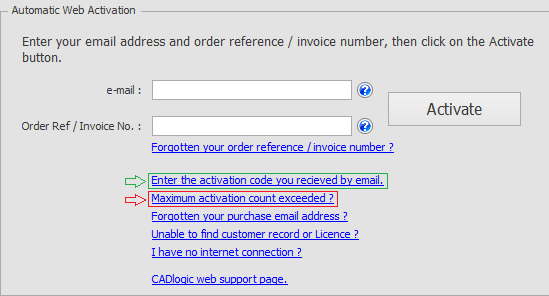
Click OK in the message box and then click on the ‘Maximum activation count exceeded’ link in the main form highlighted in the image below.
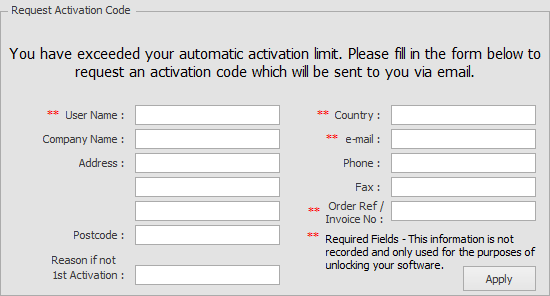
You must enter your name, country and most importantly your email address and ‘Order Ref’; these two fields identify you and your licence.
Once you receive the email click on the Enter the activation code you received by email link highlighted in GREENin the first image above. Then complete the activation as described above in the ‘Enter the activation code you received by email’ section of this topic.
Note: We process the emails manually, we cross reference the data to validate the activation request. This happens normally during UK office hours, please be patient and send your request once only. Multiple requests only slow down the system.