Enter the Activation Code Received by Email
If you have received an activation code by email, follow the steps below to complete your activation.

Enter the Activation Code Received by Email
If you have received an activation code by email then click on the link highlighted in the picture below.
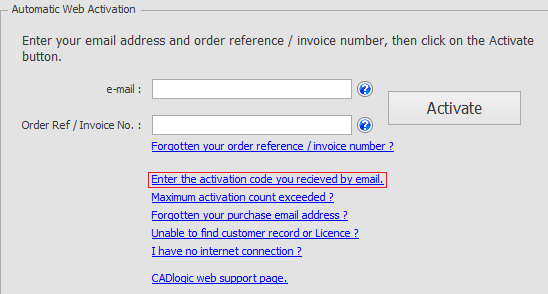
When selected, a form is displayed similar to the one in the image below.
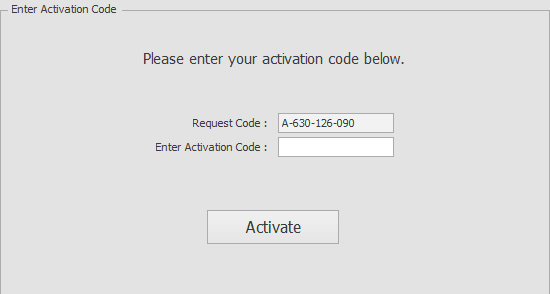
Copy the activation code and paste it into the box and click ‘Activate’. Make sure that you do not include any spaces at the start or end of the code when pasting.